Get the app — take it with you
Open MOJO wherever you are.
Your questions, plans and agents follow you. Open MOJO in a browser, or get the app for your phone.
Invitation code
- Web Appapp.mojo.trade · no download needed
- iOSOfficial release on the App Store
- AndroidInstall from Google Play
Can’t use Google Play?Download APK

Scan with your phone to open the download pageWorks for iPhone and Android
Access requirements and installation details are in the official setup guide ↗.
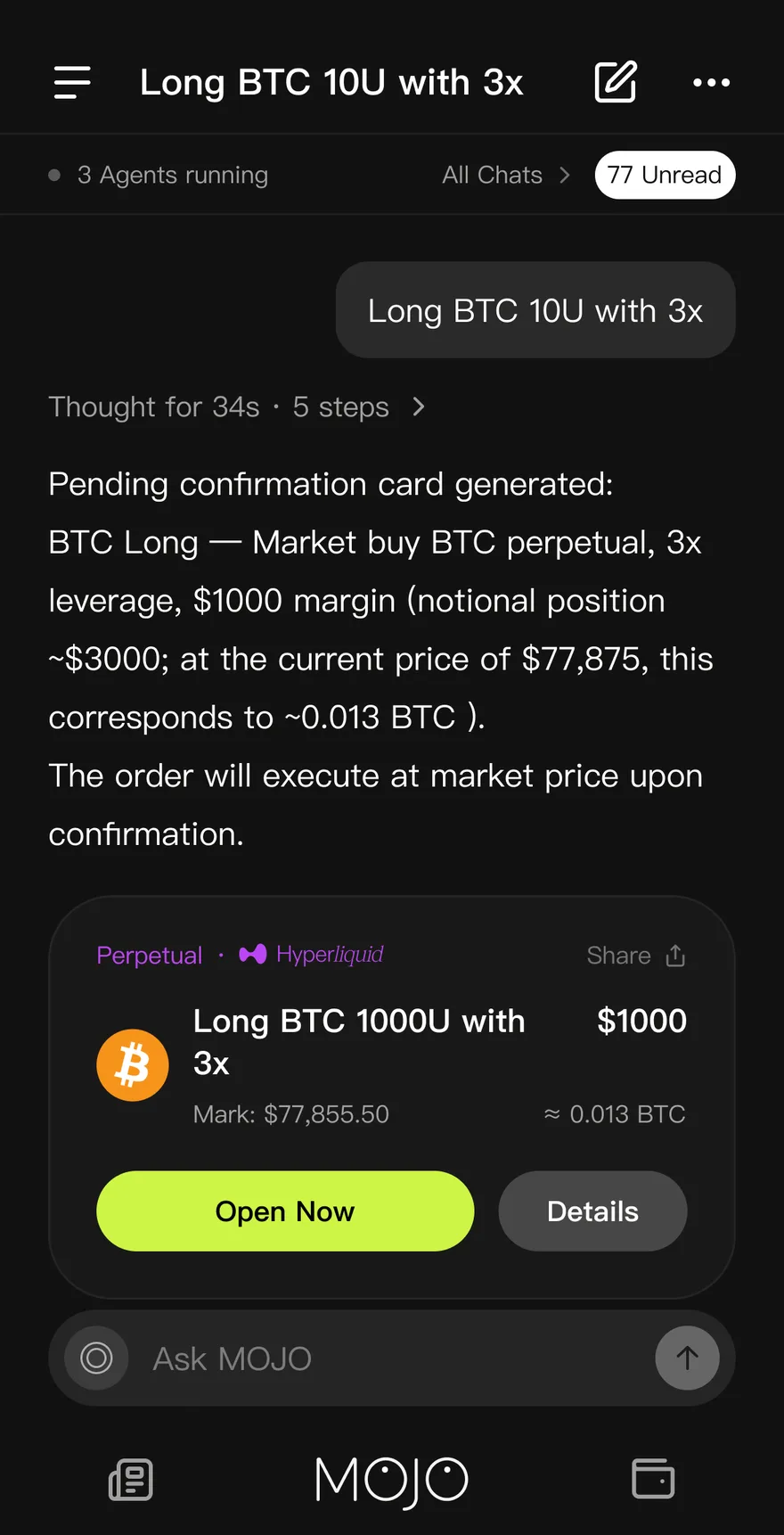
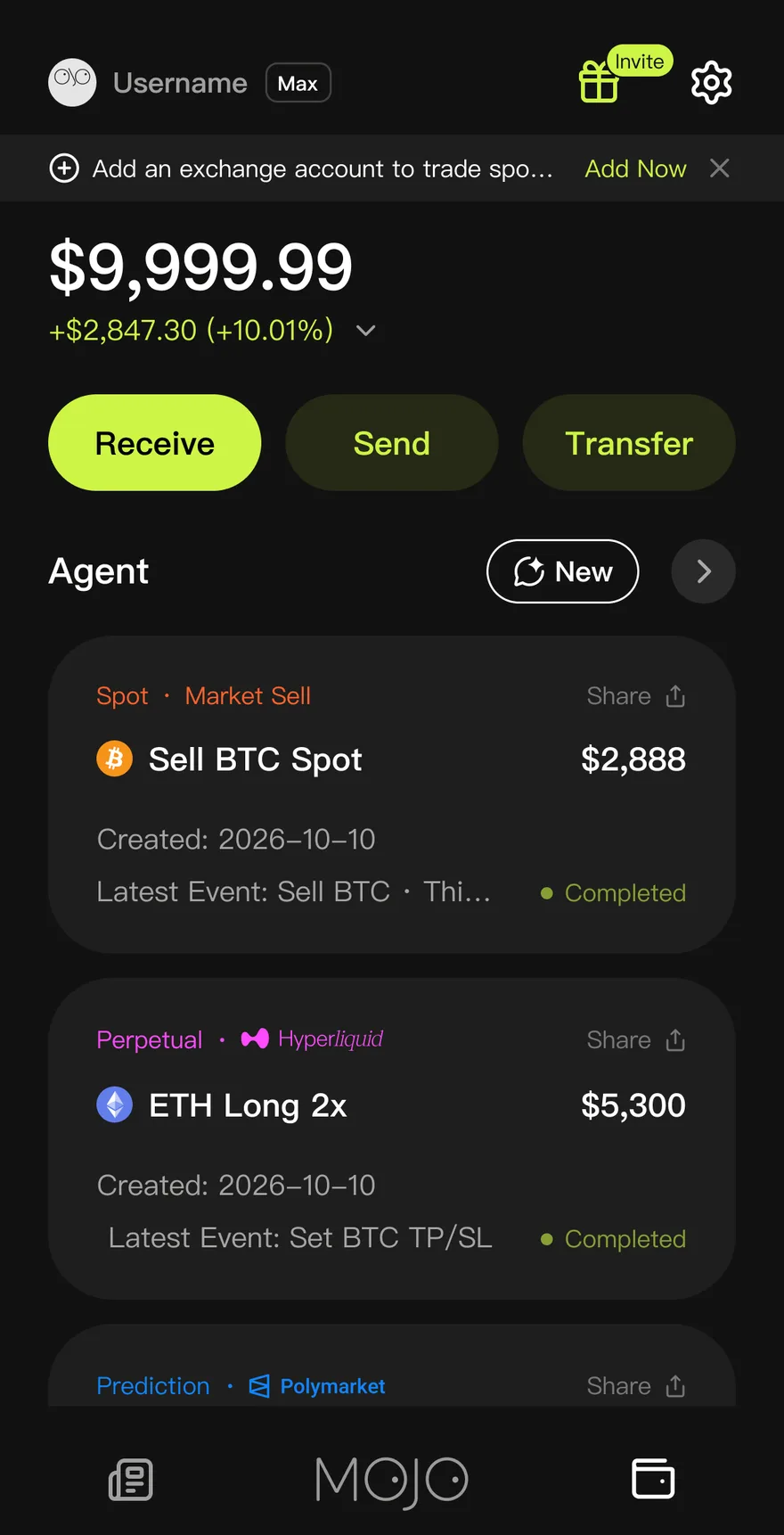
Real captures · account figures illustrative
Getting started: Four steps to your first agent.
- Step 1
Open MOJO
Use the web app in any browser, or install the app on your phone. Look for “MOJO: AI Trading Agent”.
- Step 2
Sign in
Sign in with email or a social account. Then fund your MOJO wallet, or connect an eligible exchange account by following the guide.
- Step 3
Describe your first idea
Say what you want in your own words. MOJO answers, charts, or drafts a strategy card for you to review.
- Step 4
Confirm, then step away
Nothing runs until you confirm the card. Check on your agents from any device, and stop them any time.
One account: Same agents, every screen.
Start a plan on your laptop and check on it from your phone. Your conversations, agents and holdings stay in step.
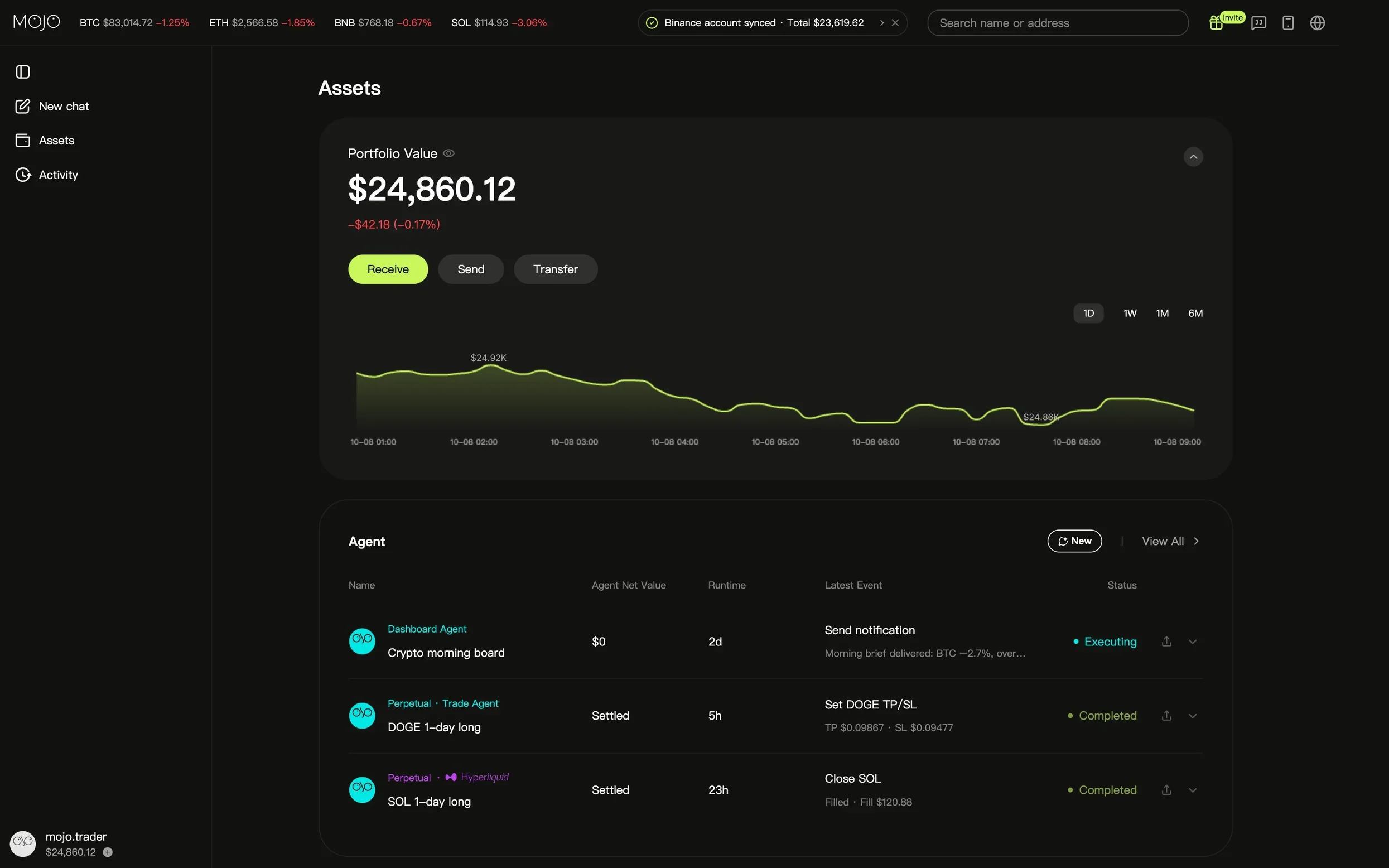




Get started: Open MOJO now.
The web app needs no download. The phone app keeps your agents close.
Web · iOS · Android